

.webp?language=en-US)

Text Prompting, Part 3: A Deep Dive into Advanced Parameters in Midjourney
by Qing Lana Luo, PLA, ASLA, Afshin Ashari, OALA, Radu Dicher, ASLA, LFA, Phillip Fernberg, ASLA, Benjamin George, ASLA, Tony Kostreski, PLA, ASLA, Matt Perotto, ASLA, and Lauren Schmidt, PLA, ASLA
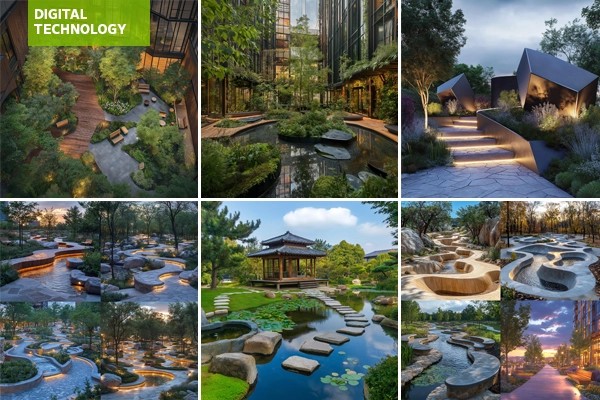
In the previous article of this series, we covered how to use common parameters. In this article, we will focus on advanced parameters.
Personalization
Adding --p or --personalize at the end of a prompt creates personalized images based on the data from your image rankings and likes on the Midjourney website. Go to www.midjourney.com/rank to craft your personalized style; as more images are ranked and liked, your style evolves.
Using --p automatically adds your current personalization code in the prompt. To find older codes, the /list_personalize_codes command in Discord will show the recent codes at the top. To switch to an older code or another user's style, add their code with the --p parameter (--p code).
Other users' codes may be found by exploring their images in the Midjourney feed. It is also possible to combine multiple codes in a single prompt (e.g., --p code1 code2). See Figure 1 below.
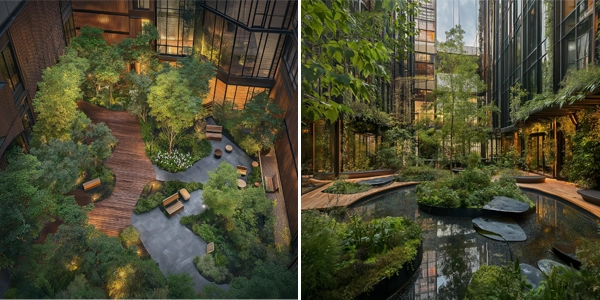
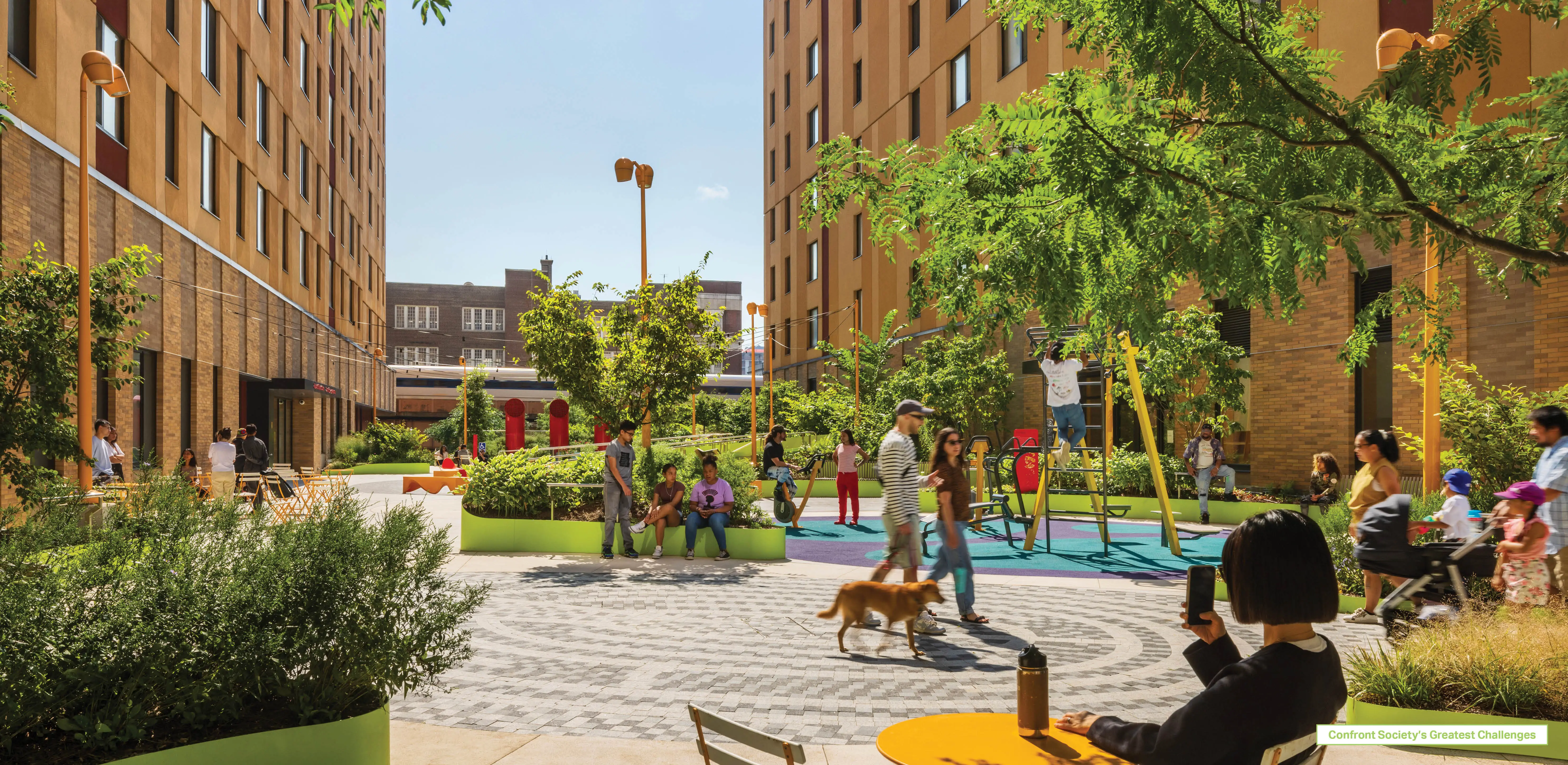
Prompt used: Urban pocket park that features a mix of permeable paving, vertical gardens, modular seating, a tranquil oasis amidst the city --personalize a2lj7de
This is the personalized style code of a landscape architecture student, who consistently favors realistic and highly detailed images in their mid-journey rankings, while typically avoiding abstract or cartoon-like images.
Chaos
Add --stylize <value> or --s <value> parameter to control how different the initial image grids will be. A high --chaos value creates more unique and unexpected results, while a low --chaos value provides more consistent and predictable images.
The parameter --chaos can be set from 0 to 100, with the default being 0. See an example in Figure 2.
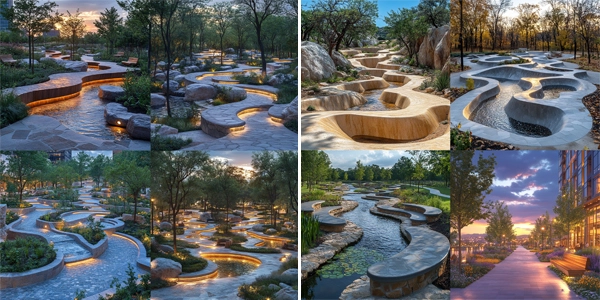
Prompt used: Design a modern urban park with winding paths, native plants, sculptural seating, water features, and eco-friendly lighting, blending natural elements with geometric urban design.
Fast, Relax, Turbo
To change the default generation speed, add --fast, --relax, or --turbo to the end of a prompt.
- Fast: This is the standard mode for generating images. It uses your allocated monthly GPU time and aims to give you quick access to a GPU.
- Relax: This mode allows you to create an unlimited number of images without using GPU time. However, jobs are placed in a queue and typically have a short wait time of around one minute.
- Turbo: This mode generates images up to four times faster than Fast Mode but consumes twice as much GPU time. It is available for specific Midjourney model versions (5, 5.1, 5.2, and 6).
Weird
Add --weird <value> or --w <value> to the end of your prompt. The weird parameter creates an unconventional aesthetic by adding quirky and unusual characteristics to the generated images, leading to unique and surprising outputs.
The values accepted range from 0 to 3000, the default value being 0.
Repeat
Add --repeat <value> or --r <value> to the end of your prompt. This parameter is used to create multiple iterations of a single prompt. This feature is helpful for efficiently rerunning a prompt to have several outputs to choose from. The values accepted range from 1 to 40.
Seed
Add --seed <value> to the end of your prompt. The Midjourney bot starts by creating a random pattern of visual noise, like TV static, to generate the initial image grids—this is a seed number. Seed numbers can be set manually using the --seed parameter. If the same seed number is used with the same prompt, the results will be similar. The values accepted range from any whole number from 0 to 4294967295.
Stop
Using the --stop parameter at the end of a prompt finishes the image generation early, which can result in blurrier, less detailed images. --stop can be set to any value between 10 and 100, with 100 being the default.
Style
Add --style raw to the end of the prompt to replace the default aesthetic of the Midjourney model. The --style raw parameter uses an alternative model that offers more control over image generation. It applies less automatic beautification, allowing for a more precise match to specific styles in your prompts. See Figure 3.
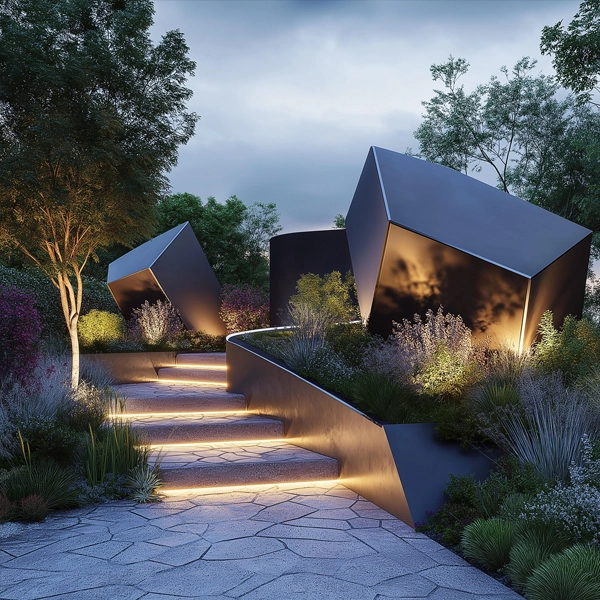
Prompt used: Create a futuristic urban garden with sleek geometric structures, native vegetation, and interactive light features --style raw
Style Reference
Using the --sref parameter, followed by the web address (URL) of an image (Figure 4), the image will be used as a style reference which can influence the aesthetic of the results. Multiple style references can be used such as: --sref URL1 URL2 URL3. See Figure 5 for an example.

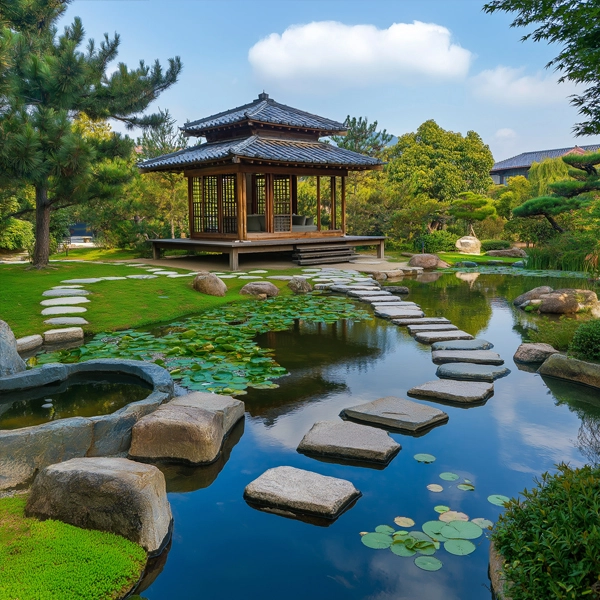
Prompt used: Envision a tranquil Japanese garden with meandering stone paths, koi ponds, and minimalist wooden pavilions --sref https://www.machiya-inn-japan.com/blog/wp-content/uploads/2023/08/Japanese-garden-in-Osaka.jpeg
Style Weight
Use the style weight parameter --sw to set the strength of stylization. --sw accepts values from 0 to 1000. --sw 100 is the default.
Stylize
Add --stylize <value> or --s <value> to the end of the prompt. This parameter controls how much the Midjourney artistic style affects your images. A low value makes the image closely match your prompt but with less artistic flair whereas a high-value result is more artistic and will match the prompt less closely. The parameter's default value is 100 and accepts values between 0 and 1000.
Tile
Add --tile to the end of the prompt to generate images that can be used as repeating tiles for textures, fabrics, and wallpapers. For landscape architecture renderings, this may be particularly useful for generating textures for ground covers, paving materials, wall surfaces, etc.
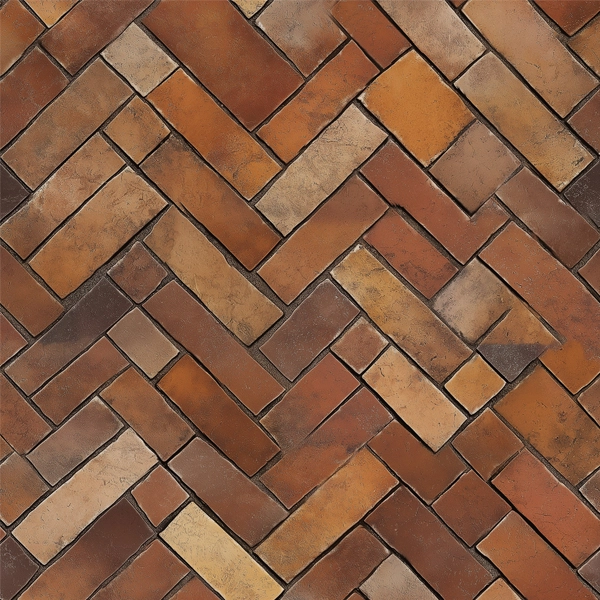
Prompt used: Pathway paving with a herringbone brick pattern, realistic, textured, warm earthy tones, neatly laid --tile
Video
Add -- video to the end of the prompt to generate a short video of the initial image grid being generated. React to the finished prompt with the envelope ✉️ emoji to receive a link to the video of the images being created.
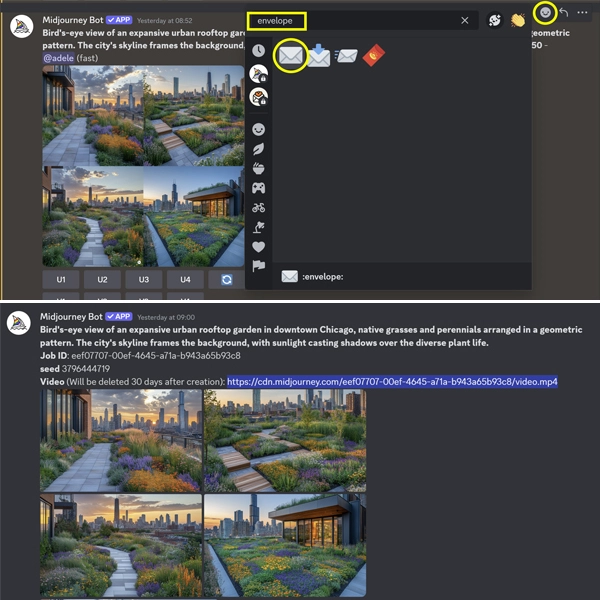
https://cdn.midjourney.com/eef07707-00ef-4645-a71a-b943a65b93c8/video.mp4
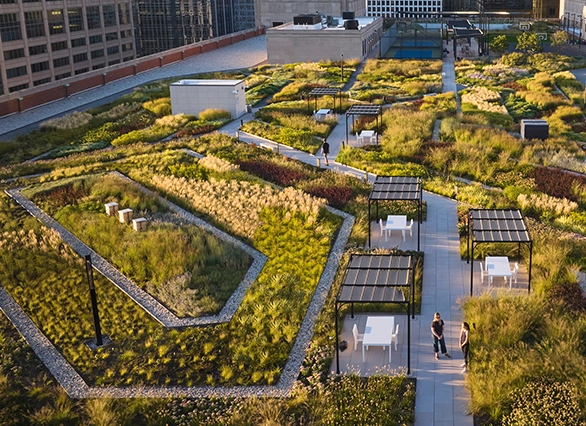
Prompt used: Bird's-eye view of an expansive urban rooftop garden in downtown Chicago, native grasses and perennials arranged in a geometric pattern. The city's skyline frames the background, with sunlight casting shadows over the diverse plant life. --video
For more on this topic, see:
- A Guide to Setting Up Midjourney on Discord: A Tutorial for Beginners
- Variation and Upscale Functions in Midjourney: A Beginner’s Guide
- Text Prompting, Part 1: Introduction to Fundamentals of Effective Text Prompting in Midjourney
- Text Prompting, Part 2: Unlocking the Power of Parameters in Midjourney
- Midjourney Parameter List, Midjourney
- SKILL | ED: Exploring AI's Impact on Landscape Architecture
Article contributors:
- Qing Lana Luo, PLA, MLA, ASLA, Associate Professor of Landscape Architecture, Oklahoma State University
- Afshin Ashari, MLA, OALA, Assistant Professor, University of Guelph
- Radu Dicher, ASLA, LFA, BIM Manager, SWA
- Phillip Fernberg, ASLA, Director of Digital Innovation, OJB
- Benjamin George, ASLA, Associate Professor, Utah State University
- Tony Kostreski, PLA, ASLA, Senior Landscape Product Specialist, Vectorworks
- Matt Perotto, ASLA, Senior Associate, Janet Rosenberg & Studio
- Lauren Schmidt, PLA, ASLA, Parallax Team
Qing Lana Luo, PLA, MLA, ASLA, the author of this series, is an Associate Professor at Oklahoma State University with seventeen years of prior design experience in Boston, MA, and Beijing, China. She has held design leadership roles at renowned firms such as EDSA, Carol R. Johnson Associates (now Arcadis | IBI-Placemaking), and Turenscape, working on diverse projects worldwide, from urban parks to mixed-use developments. Her work has earned numerous international and national design awards. Qing Luo teaches core design classes at OSU as a tenured landscape architecture professor, focusing on sustainable design, technology, and professional practice. She showcases her land design, materials, technology, and sustainability expertise.
Afshin Ashari, MLA, OALA Assoc., the co-author of this series, is an Assistant Professor of Landscape Architecture at the University of Guelph. Before joining SEDRD, he was involved in a variety of architectural and landscape architectural projects in Iran and Canada. He holds a Master’s in Landscape Architecture and a Bachelor’s in Computer Engineering. Leveraging his interdisciplinary background, Afshin’s research interests focus on merging computational design approaches with mixed-reality immersive environments, particularly emphasizing exploring the integration of art and technology in public spaces. Afshin aims to push the boundaries of traditional design processes by incorporating computational tools and techniques to explore the application of algorithms, parametric modeling, data-driven approaches, and interactive immersive environments.