

.webp?language=en-US)
.webp?language=en-US)
Text Prompting, Part 1: Introduction to Fundamentals of Effective Text Prompting in Midjourney
by Qing Lana Luo, PLA, ASLA, Afshin Ashari, OALA, Radu Dicher, ASLA, LFA, Phillip Fernberg, ASLA, Benjamin George, ASLA, Tony Kostreski, PLA, ASLA, Matt Perotto, ASLA, and Lauren Schmidt, PLA, ASLA
In our earlier articles about Midjourney, we discussed setting up Midjourney and Discord accounts, as well as exploring the variation and upscale functions involved in generating images with Midjourney. In this article, we will focus on guiding you through crafting effective text prompts.
What is a text prompt?
A text prompt is a brief text description that users give the Midjourney Bot to guide the AI in generating an image. The Midjourney Bot interprets the words users provide and creates a visual representation based on that description.
Where to enter a text prompt
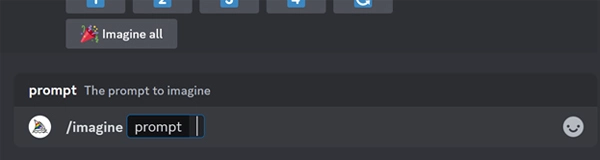
In the Midjourney chat box, type /imagine and then hit the SPACE key. The word “prompt” will appear, as in the image below (Figure 1). After the blinking cursor is the place where users can enter text prompts.
Prompt Formula
The purposes of text prompts are:
- Control: To guide the AI in creating images that align with your vision.
- Creativity: To explore different concepts and visualize ideas in a unique way.
- Customization: To produce tailored images for specific projects or personal use.
The text prompts can range from simple phrases to more detailed descriptions, depending on how specific you want the generated image to be.
Simple prompts – simple, basic prompts focus on a single element or basic concept, giving the AI considerable freedom and imagination in developing the images. For example, the prompt “a beautiful park” yields a wide range of interpretations (see Figure 2). Because of the minimal description, Midjourney has plenty of room to interpret the scene, resulting in images with different styles, art mediums, objects, lighting, and moods from one image to the next.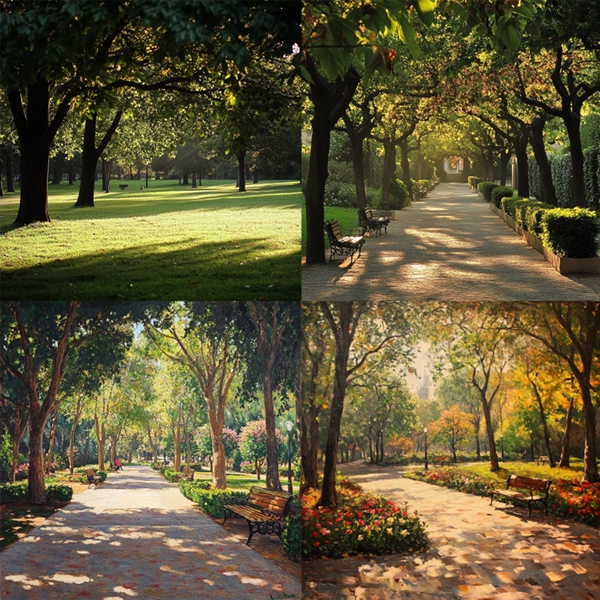
More advanced prompts may include parameters and image prompts (see blue arrow in Figure 3 below). Image prompts are very important to landscape architect users. It is worth a standalone article, which we will publish in the near future. Parameters are special instructions added to text prompts that allow designers to customize or control specific aspects of the image, such as image size, aspect ratio, style, and other technical features that influence how the final image is rendered. Parameters will be discussed in the next article in this series, to be published on The Field next week.
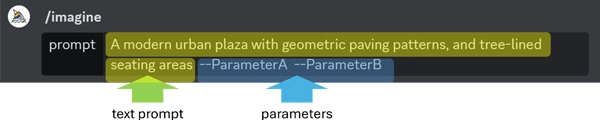
Some detailed text prompt examples are:
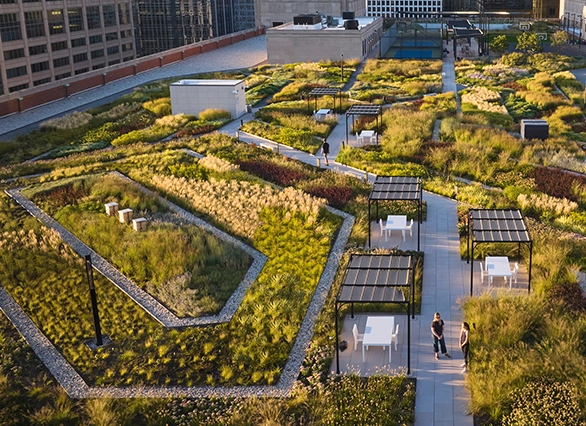
- A rooftop garden in a modern urban setting, with raised planters of succulents and native grasses and a pergola providing shade for seating areas
- A riverside promenade with terraced seating, lush green spaces, and artful stone sculptures, with a view of the city skyline in the background
- A desert-inspired courtyard with a central water feature, xeriscape landscaping, and minimalist stone benches under the shade of tall palm trees
- A historic park with cobblestone pathways, ornate wrought-iron benches, and mature oak trees, with soft, dappled sunlight filtering through the leaves
Crafting Effective Text Prompts
Crafting good text prompts is crucial in Midjourney because the quality and specificity of your prompt directly influence the outcome of the generated image. A well-crafted prompt can help communicate your ideas and vision to others, making sharing concepts and refining designs easier.
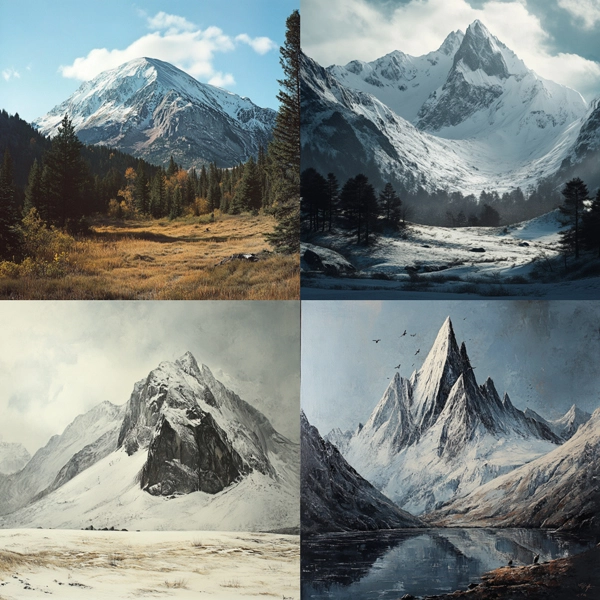
Emphasize the desired elementsIt's more effective to describe what you want in the image rather than what you don't want. For example, if your prompt is “a mountain without snow,” you will still get images like the one below (Figure 4). To effectively exclude unwanted elements, use the --no parameter (details of parameters will be discussed in our next article) to ensure they are left out.
Prompts can be minimal, like a single word or emoji, which allows Midjourney to have more control and creatively fill in the missing details. However, if certain aspects are essential to you, specify them. Less detailed prompts will result in more significant variation, but at the cost of precision and control.
Importance of word selection & noun pluralsThe choice of words in your prompt plays a significant role in how the AI interprets and generates the image. Using more precise synonyms helps to convey precisely what you envision, allowing the AI to produce a result that closely matches your expectations. For example, rather than just saying "happy," use "joyful," "ecstatic," "cheerful," or "elated" to more precisely describe the emotion.
Another example: instead of using "cold," try "chilly," "frigid," "icy," or "frosty" to convey different degrees of temperature.
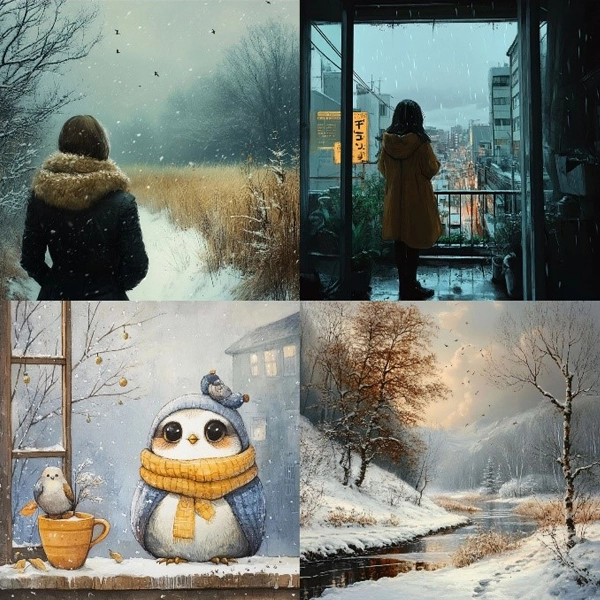
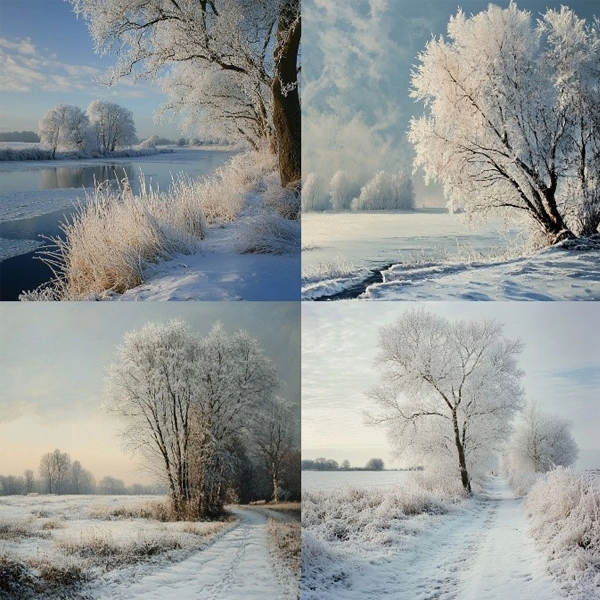
Below are the image results I got when I used “cold day” (Figure 5) compared with “frosty day” (Figure 6). As you can clearly see, the results from the “cold day” prompting showed a broad range of cold weather and elements. In contrast, the results from the “frosty day” prompting showed more consistent and focused results of what a “frosty day” looks like.
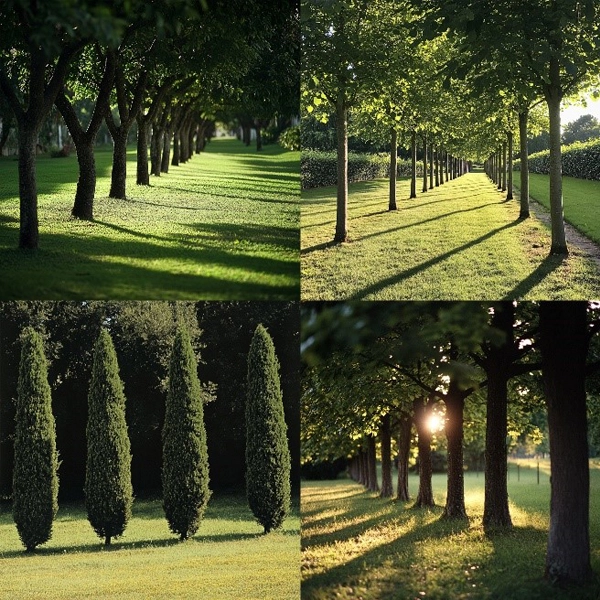
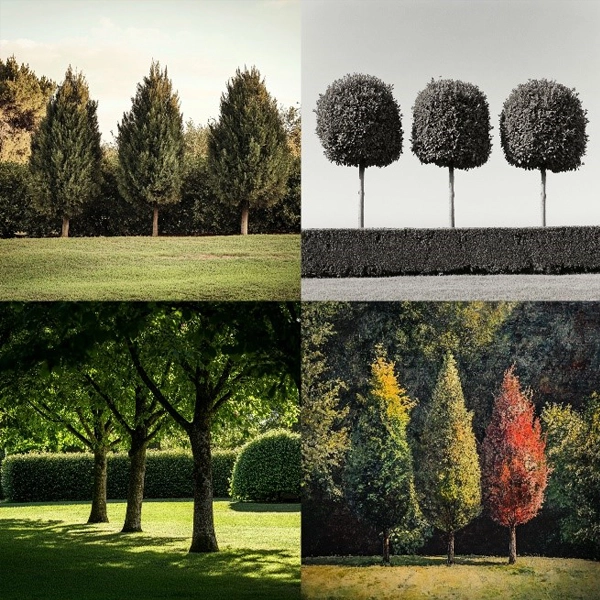
Plural words can introduce variability, ambiguity, and unpredictability into your image. To achieve more precise results, use exact numbers, like "five trees" instead of "trees." Similarly, using collective nouns like "swarm of bees" offers more precise guidance than simply "bees."
Here is the result comparison when I prompted “trees in a row in the garden” (Figure 7) vs. “three trees in a row in the garden” (Figure 8):
Components for landscape architects to include when crafting a text prompt
When crafting your prompt, try to be clear about any context or details that matter to you. Text prompts are the “paintbrush” that sparks the AI’s creative vision. With well-chosen words, you guide the AI in capturing the artwork’s mood, atmosphere, and emotions, bringing your vision to life.
Consider the following aspects:
- Core subjects: Define the main subjects that you want the image to show, such as a garden, bridge, fountain, people, flowers, paving, trellis, or other objects; for example, "a wise old man walking on a bustling city street."
- Characters: Include emotions, motivations, personalities, and aspirations—the mood sets the emotional context. Consider whether you want the image to feel sedate, calm, raucous, or energetic. Including these elements will strengthen the bond between the viewer and the artwork that you have created.
- Visual style: Specify the artistic medium or style you want, such as a photo, painting, illustration, sculpture, sketch, or formal drawing. This helps the AI create an image that aligns with your aesthetic preferences.
- Visual arrangement: Define the framing and perspective of the image. Whether you’re looking for a portrait, headshot, close-up, or bird’s-eye view, composition plays a crucial role in how the image is perceived.
- Setting: Describe the setting where the scene takes place. Is it indoors, outdoors, on the moon, underwater, or in a city? This provides a backdrop that influences the overall feel of the image.
- Hue, tone, and lighting: Lighting can dramatically change the mood of an image. Consider whether you want soft, ambient, overcast, neon, or studio lighting to set the tone. Color choices can impact the emotional response to an image. Decide if you want vibrant, muted, bright, monochromatic, colorful, black and white, or pastel colors to dominate the scene.
While you don’t have to include all the above components in one prompt, thoughtfully considering these elements can help you craft prompts that lead to images closely aligned with your vision, giving you a greater sense of control and satisfaction with the results.
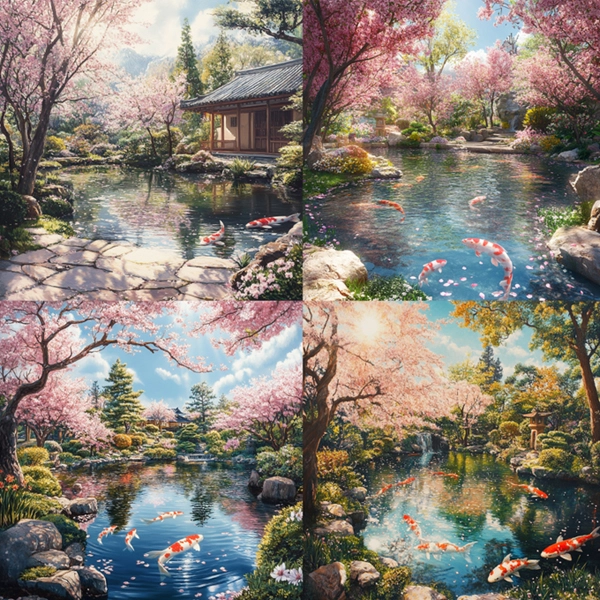
Here is one example prompt when I brainstormed a Japanese garden: "a serene Japanese garden with a koi pond, surrounded by blooming cherry blossoms, photorealistic painting with bright sunshine, wide-angle view.” See the images below (Figure 9):
In the next article in this series, we will continue to cover text prompting, focusing on prompt parameters.
For more on this topic, see A Guide to Setting Up Midjourney on Discord: A Tutorial for Beginners, Variation and Upscale Functions in Midjourney: A Beginner’s Guide, and SKILL | ED: Exploring AI's Impact on Landscape Architecture.
Article contributors:
- Qing Lana Luo, PLA, MLA, ASLA, Associate Professor of Landscape Architecture, Oklahoma State University
- Afshin Ashari, MLA, OALA, Assistant Professor, University of Guelph
- Radu Dicher, ASLA, LFA, BIM Manager, SWA
- Phillip Fernberg, ASLA, Director of Digital Innovation, OJB
- Benjamin George, ASLA, Associate Professor, Utah State University
- Tony Kostreski, PLA, ASLA, Senior Landscape Product Specialist, Vectorworks
- Matt Perotto, ASLA, Senior Associate, Janet Rosenberg & Studio
- Lauren Schmidt, PLA, ASLA, Parallax Team
Qing Lana Luo, PLA, MLA, ASLA, the author of this series, is an Associate Professor at Oklahoma State University with seventeen years of prior design experience in Boston, MA, and Beijing, China. She has held design leadership roles at renowned firms such as EDSA, Carol R. Johnson Associates (now Arcadis | IBI-Placemaking), and Turenscape, working on diverse projects worldwide, from urban parks to mixed-use developments. Her work has earned numerous international and national design awards. Qing Luo teaches core design classes at OSU as a tenured landscape architecture professor, focusing on sustainable design, technology, and professional practice. She showcases her land design, materials, technology, and sustainability expertise.
Afshin Ashari, MLA, OALA Assoc., the co-author of this series, is an Assistant Professor of Landscape Architecture at the University of Guelph. Before joining SEDRD, he was involved in a variety of architectural and landscape architectural projects in Iran and Canada. He holds a Master’s in Landscape Architecture and a Bachelor’s in Computer Engineering. Leveraging his interdisciplinary background, Afshin’s research interests focus on merging computational design approaches with mixed-reality immersive environments, particularly emphasizing exploring the integration of art and technology in public spaces. Afshin aims to push the boundaries of traditional design processes by incorporating computational tools and techniques to explore the application of algorithms, parametric modeling, data-driven approaches, and interactive immersive environments.